

A good security system is not just about knowing whether a door is locked or unlocked. More importantly, businesses need to know: Who is accessing? Where are they allowed to go? And at what time?
That is the role of Access Control.
From offices and commercial buildings to factories, schools, hotels, and data centers, Access Control helps businesses authenticate users, manage access permissions, record access history, and centrally manage multiple areas through a single platform.
What Is Access Control?
Access Control is a system used to manage and control who is authorized to enter a specific area.
In physical security environments, Access Control can be deployed at:
- Office entrances
- Factory gates and production areas
- Server rooms and data centers
- Technical areas
- Warehouses and restricted areas
- Schools and campuses
- Hotel guest rooms and back-of-house areas
- Elevators and restricted floors
Instead of relying on physical keys, businesses can define who can access which areas and at what times.
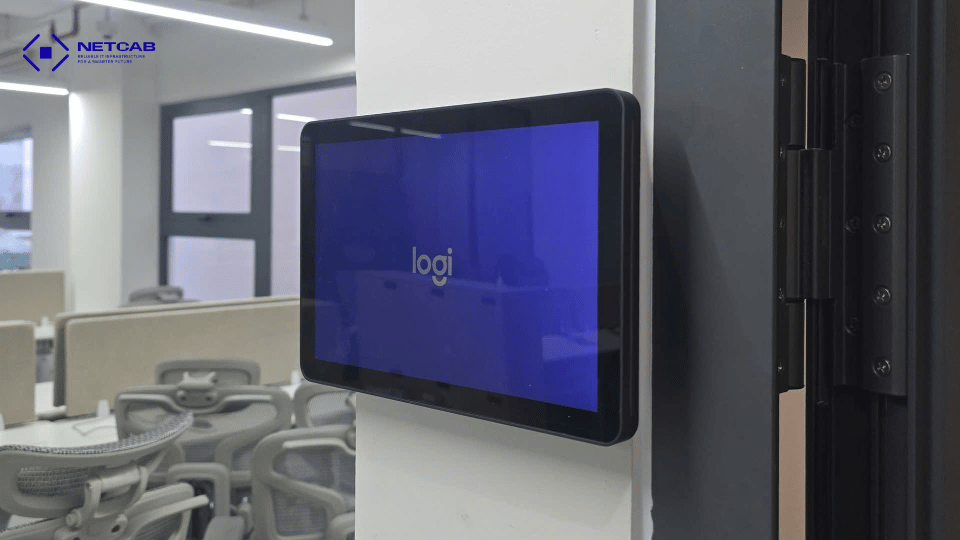
How Does an Access Control System Work?
Users authenticate themselves using a card, PIN, fingerprint, facial recognition, or mobile device. The system receives the authentication information, checks the user’s access permissions, and determines whether access should be granted or denied.
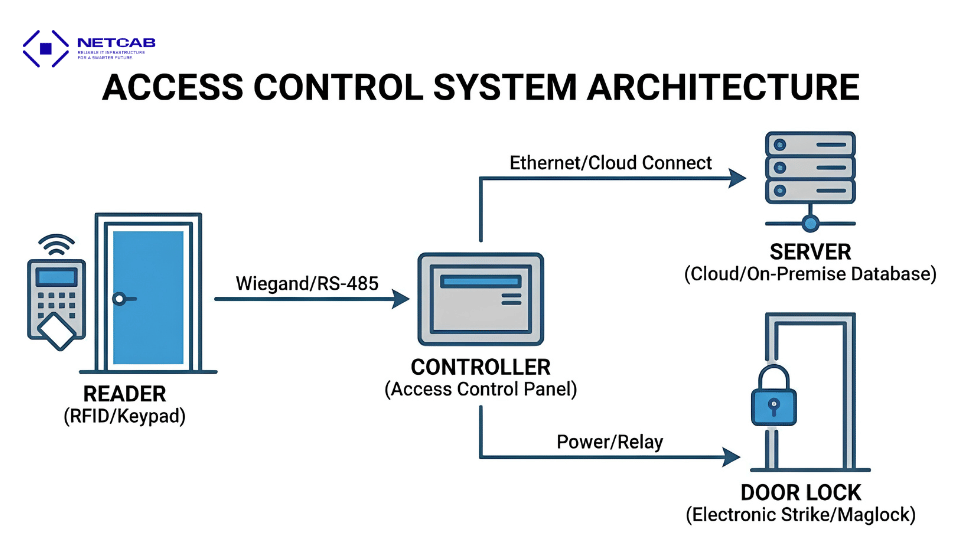
The process can be summarized as:
IDENTIFY → VERIFY → AUTHORIZE → ACCESS → RECORD
- Identify: Recognize the user.
- Verify: Verify the user’s identity.
- Authorize: Check access permissions.
- Access: Grant or deny access.
- Record: Log the access event.
Access Control therefore does more than simply open or lock doors. It also creates access data that can support management, reporting, and event investigation when required.
What Does an Access Control System Include?
A complete Access Control system involves more than just a card reader installed next to a door. Multiple components work together to authenticate users, control doors, and centrally manage access permissions.
1. User Authentication Devices
These devices identify users requesting access. Depending on the requirements, businesses can use:
- Card readers: Authenticate employees or visitors using access cards.
- PIN keypads: Allow users to enter a PIN to request access.
- Fingerprint readers: Authenticate users through fingerprint recognition.
- Facial recognition terminals: Verify users through facial recognition.
- Mobile credentials: Allow smartphones to be used as access credentials.
- QR codes: Often used for visitors or temporary access.
2. Access Controller
The Access Controller acts as the central processing component of the system.
When a user presents a card or another credential, the controller checks the information and access permissions. If the request is valid, the system sends a command to unlock the door. Otherwise, access is denied.
3. Electronic Locks
Electronic locks lock or unlock doors based on commands from the Access Control system.
Different locking solutions can be selected depending on the type of door, such as glass, wooden, or metal doors, as well as the security requirements of each area.
4. Door Sensors and Exit Devices
Door sensors monitor whether a door is open or closed and can help identify abnormal conditions, such as a door being left open for too long.
Exit buttons or other exit devices allow users to leave the controlled area according to the system design.
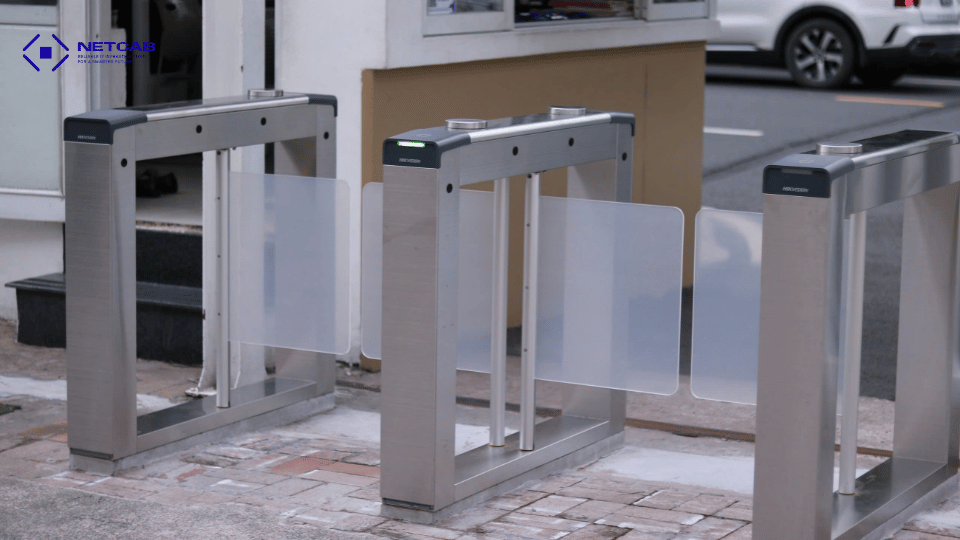
5. Access Control Management Software
The management software allows administrators to centrally manage the system, including:
- Adding or removing users
- Granting, changing, or revoking access rights
- Assigning permissions by area and time
- Monitoring access points
- Reviewing access history
- Viewing and exporting reports
This enables businesses to manage access permissions centrally instead of controlling each door separately.
6. Network and Power Infrastructure
Access Control devices require stable network connectivity and power to operate reliably.
The supporting infrastructure may include network cabling, power supplies, UPS systems, and the necessary connections between readers, controllers, locking devices, and the management platform.
For this reason, Access Control should not be treated as a standalone system. It should be designed in coordination with the building’s overall ICT & ELV infrastructure.
In simple terms:
User Authentication → Access Verification → Grant/Deny Access → Event Recorded in the System
Common Access Control Methods
Depending on security requirements, operating environments, and user needs, businesses can choose from several authentication methods.
Card Access: Widely used, easy to operate, and allows access rights to be granted or revoked efficiently.
Biometric Access: Uses fingerprint or facial recognition and is suitable for areas requiring a higher level of identity verification.
PIN Access: Can be used independently or combined with another authentication method.
Mobile Access: Uses a smartphone as an access credential, providing greater flexibility for modern working environments.
Multi-Factor Authentication: Combines multiple authentication methods, such as Card + PIN or Card + Biometric, for areas requiring higher security.
There is no single authentication method suitable for every area. The appropriate solution should be selected based on the level of risk and actual operational requirements.
What Are the Benefits of Access Control for Businesses?
The value of Access Control goes beyond replacing physical keys with access cards. Its key advantage is the ability to manage access permissions proactively and centrally.
Access Control by User, Area, and Time
Businesses can define access based on: User → Role → Area → Time
Each user group can access only the areas and time periods relevant to their role.
Quick Access Granting and Revocation
When employees join, change roles, or leave the company, their access permissions can be updated directly through the system without replacing physical locks.
Access History and Traceability
The system can record: WHO → WHERE → WHEN → GRANTED / DENIED
This data supports event reviews, operational management, and investigation when required.
Centralized Management and Scalability
Businesses can manage multiple doors, floors, and areas through a centralized platform and expand the system as the number of users or locations grows.
Integration with Other Systems
Access Control can be designed to integrate with CCTV, Visitor Management, Elevator Control, Time Attendance, BMS, Fire Alarm, and Network Infrastructure, creating a more connected and coordinated security ecosystem.
Where Can Access Control Be Applied?
Access Control can be adapted to a wide range of environments.
Office & Corporate Buildings: Control access to main entrances, working areas, meeting rooms, server rooms, and restricted floors.
Factory & Industrial: Manage access to main gates, production areas, warehouses, control rooms, technical areas, and restricted zones.
Education: Control access to campus entrances, administrative areas, laboratories, equipment rooms, server rooms, and manage access permissions for students, staff, and visitors.
Hospitality: Manage access to guest rooms, back-of-house areas, staff areas, technical rooms, and amenities.
Data Center & Critical Areas: Apply stricter access policies, multi-factor authentication, and detailed access logging for critical areas.
5 Factors to Consider When Choosing an Access Control System
Investing in Access Control should not begin with the question: “Which reader should we buy?”
Instead, businesses should first consider five key questions.
1. Who Needs Access?
Identify different user groups such as employees, managers, visitors, contractors, IT teams, security personnel, and other specific users.
2. Which Areas Need to Be Controlled?
Not every door has the same level of risk.
Areas should be classified based on their security requirements, from general areas to restricted and critical zones.
3. When Should Access Be Allowed?
Access permissions can be limited based on:
- Time periods
- Working days
- Work shifts
- Credential validity
- User roles
4. What Level of Authentication Is Required?
A standard office entrance and a server room do not necessarily require the same authentication policy.
The level of authentication should reflect the security requirements of each area.
5. How Should the System Integrate and Scale?
Businesses should also consider future requirements, including:
- Number of doors
- Number of users
- Multiple buildings or locations
- CCTV
- Visitor Management
- Elevator systems
- BMS
- Other management platforms
A well-designed Access Control system should not only address current requirements but also provide a foundation for future expansion.
Netcab Access Control Solutions
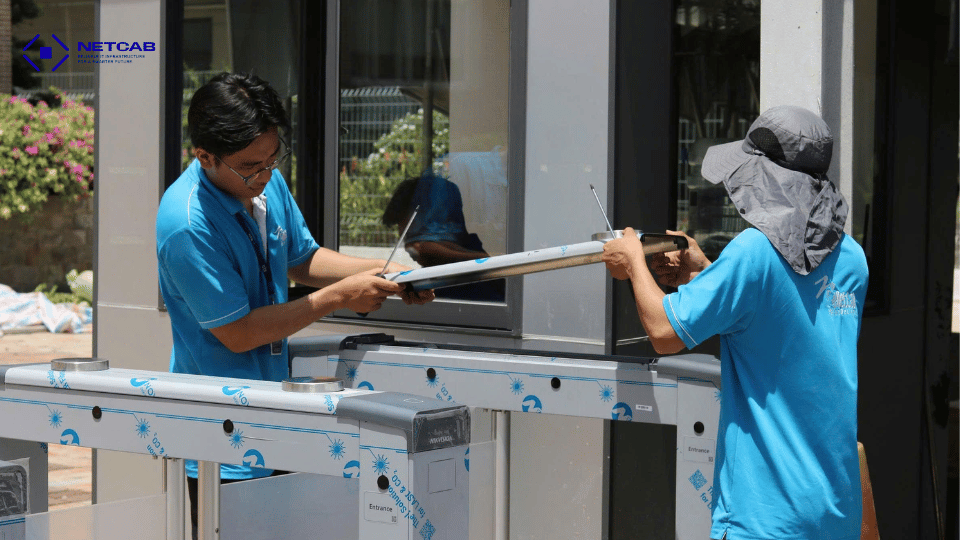
An effective Access Control system depends not only on the devices selected but also on how the system is surveyed, designed, installed, configured, and integrated.
Netcab provides Access Control solutions for Office & Corporate Buildings, Factory & Industrial, Education, Hospitality, and other critical infrastructure environments, including:
- Site survey and solution consulting
- Access Control system design
- Equipment supply and installation
- Network and power infrastructure deployment
- System configuration and access permission setup
- Integration with related systems
- Testing & Commissioning
- Technical Support & Maintenance
With an integrated approach to ICT & ELV Infrastructure, Access Control can be deployed alongside Network, CCTV, and other security systems from the early stages of project design.
From Door Control to Access Management
Modern Access Control is no longer simply about: “How do we open the door?”
The more important questions are: Who can access – Where – When – And how are those permissions managed?
A properly designed Access Control system enables businesses to move from controlling individual doors to proactively and centrally managing access permissions with the flexibility to scale.
A lock protects the door. Access Control protects the right to pass through it.
Planning an Access Control System for Your Project?
Whether you are securing an office, factory, school, or commercial building, Netcab can help assess your requirements and develop an Access Control solution aligned with your security needs and ICT & ELV infrastructure.
Contact Netcab to discuss your project requirements.
Hotline: +84 (28) 3526 0996
Email: info@netcab.vn